Claude Desktop
Claude Desktop supports remote MCP servers through their developer configuration. You can easily connect your FileMaker data to Claude Desktop using their developer configuration settings.
Note You must have Node.js version 22 or later installed and available in your path.
To do this:
-
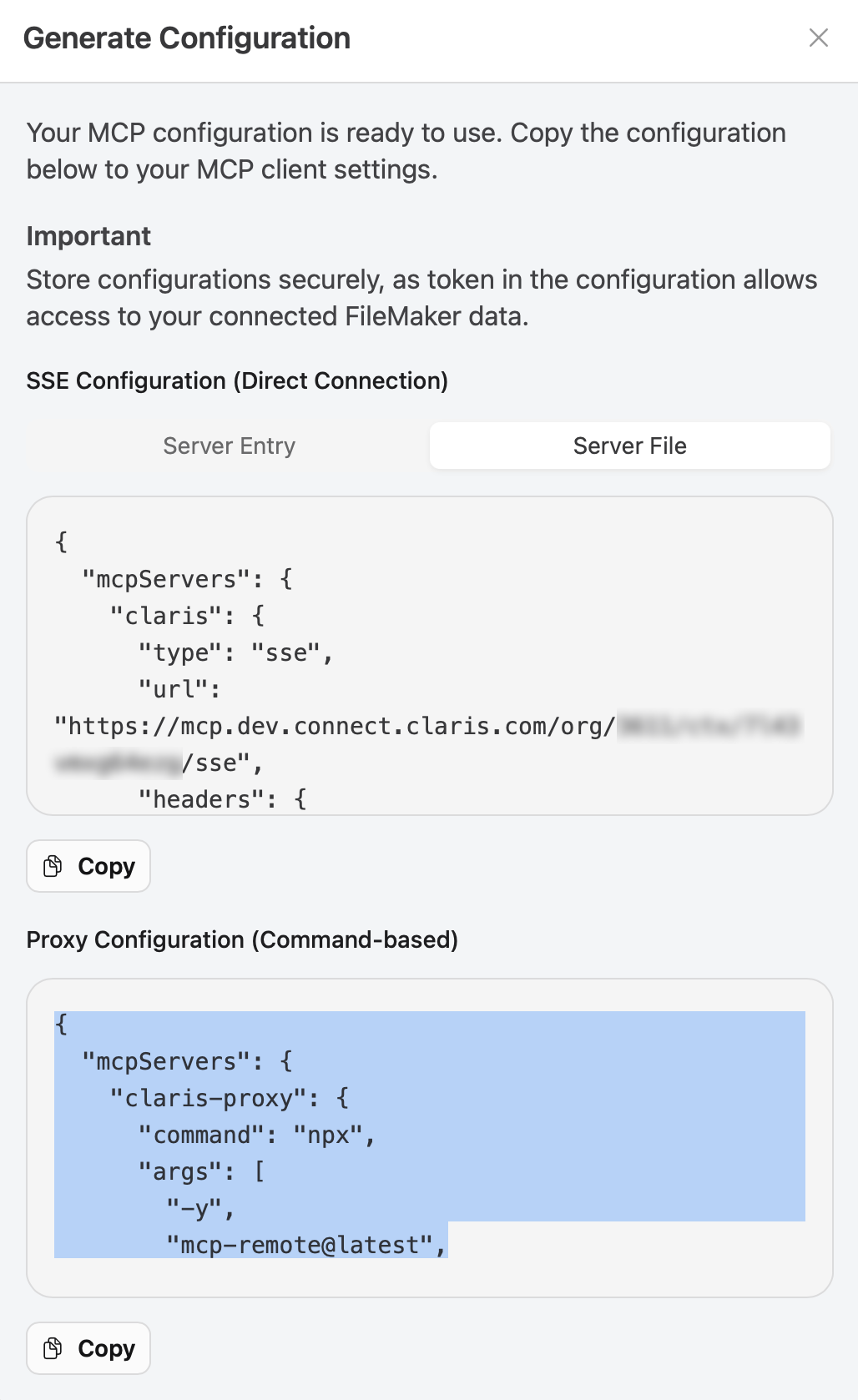
Select the context you want to connect to Claude Desktop, then click { } Configuration.
-
Click the Server File tab, then copy the JSON in the Proxy Configuration (Command-based) section.
-
In Claude Desktop, go to Settings > Developer, click Edit Config to open the Claude Desktop configuration file, then paste the copied JSON into the file. It should look something like this:
Copy{
"mcpServers": {
"claris-proxy": {
"command": "npx",
"args": [
"-y",
"mcp-remote@latest",
"https://mcp.connect.claris.com/org/1234/ctx/567890abcdefg/sse",
"--header",
"Authorization:${STATIC_TOKEN}",
"--transport",
"sse-only"
],
"env": {
"STATIC_TOKEN": "static your-static-token"
}
}
},
"preferences": {
"quickEntryShortcut": "off"
}
} -
Close Claude Desktop, then reopen it for the changes to take affect.
This gives Claude access to all tools and FileMaker data associated with the context from which you generated the configuration snippet. Try asking it something about your data!
For more information, see Connect Claude Code to tools via MCP in Claude Docs and Connect to local MCP servers in Model Context Protocol documentation.
Notes
-
Currently, we recommend against using Claude Sonnet 4.5 as our experience shows it is not yet stable with Claris MCP.
-
Claude will use the earliest version of Node.js found in the paths available to it. View the logs from the MCP server to see the paths Claude will use.
For example:
2025-07-23T20:38:12.307Z [claris_mcp] [info] Using MCP
server command: /opt/homebrew/bin/npx with args and path: {
  metadata: {
    args: [
      'mcp-remote',
      'https://mcp.connect.claris.com/org/{{orgId}}/ctx/{{ctxId}}/sse',
      [length]: 2
    ],
    paths: [
      '/usr/local/bin',
      '/opt/homebrew/bin',
      '/usr/bin',
      '/usr/bin',
      '/bin',
      '/usr/sbin',
      '/sbin',
      [length]: 7
    ]
  }
}