Agent workflow
The Agentic Development Toolkit (ADT) is designed for agents that can do more than produce snippets. The workflow gives the agent real FileMaker context, a project it can edit, and feedback it can use to fix mistakes.
The loop
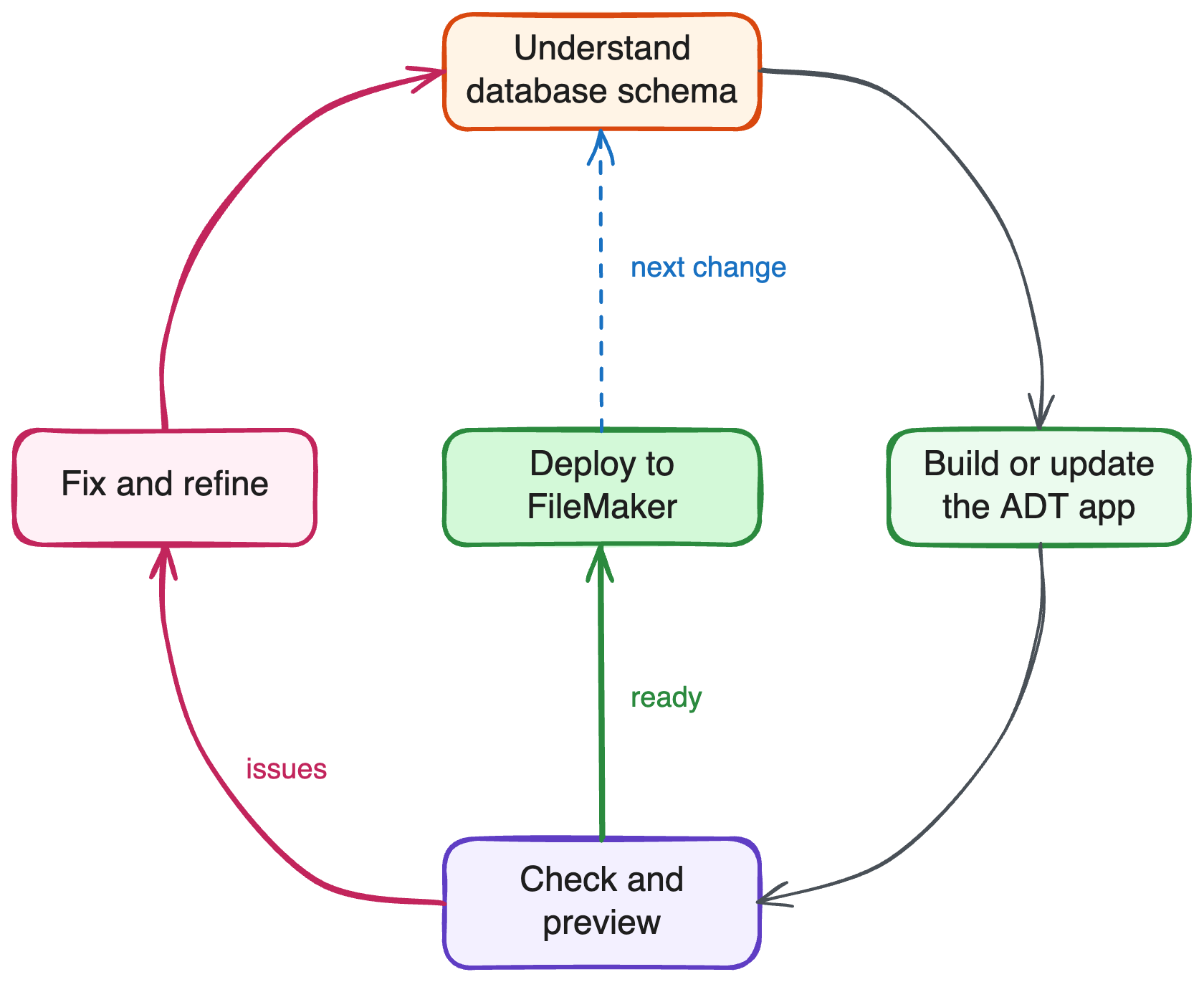
What each step needs
-
Verify setup: the agent starts with
troubleshoot_setup, which runs ADT's full diagnosis and reports whether ADT can reach your file — and which lane a failure blocks. -
Next change: you ask for a new screen, behavior, or refinement.
-
Read FileMaker schema: the
adt-mcpserver exposes file metadata (tables, layouts, relationships, DDL) to the agent through tools liketable_metadata,layout_metadata, andget_relation_info. -
Author schema, scripts, and layouts: the agent drives the
filemakerCLI, guided by the fm-cli skill in your project. This lane needs only a file address inadt.json— FileMaker Pro doesn't have to be open. -
Write app code: the agent edits a normal web project using React, TypeScript, Tailwind, and shadcn/ui.
-
Run typecheck and lint: TypeScript and lint checks catch schema and field-name mistakes before runtime;
adt typegenkeeps the generated schemas in sync with the connected file so those checks mean something. Typegen is Agent Access lane — it needs FileMaker Pro 26.1 or later running, Agent Access on, and the file's grant prompt answered for this FileMaker Pro session. -
Preview in browser: with the file open in FileMaker Pro and Agent Access on, the agent runs the Vite dev server and inspects the app as it works, not just reason about code.
-
Fix issues: errors, screenshots, and build output become feedback for the next edit.
-
Deploy to FileMaker: the agent checks and builds the app, places the resulting bundle in the target file, and verifies it in the Web Viewer. This step needs a live connection in the current release.
Why this matters
Without the loop, you're usually copying FileMaker metadata into a chat, pasting code back into a project, discovering errors manually, and asking the agent to try again. ADT gives the agent enough context and feedback to handle more of that cycle directly.
Two lanes, two toolsets
Schema, script, and layout authoring is not done through MCP tools. Agents use the filemaker CLI for that, guided by the fm-cli skill that ships in the ADT plugin. The skill points at filemaker --help and the nested filemaker help <catalog> reference rather than restating command shapes.
The MCP tools cover the other half: reading schema, running FileMaker SQL, listing scripts and value lists, showing an ERD, orchestrating Data API calls, deploying HTML, and troubleshoot_setup.
See Projects, Connected Files, and Apps for what each lane requires.